FREE MOBILE DISPLAY TOOL
How big is that crosshair to your eye?
Pixels alone do not describe apparent size. Enter your display, crosshair span, and normal viewing distance to estimate physical size, screen coverage, and visual angle.
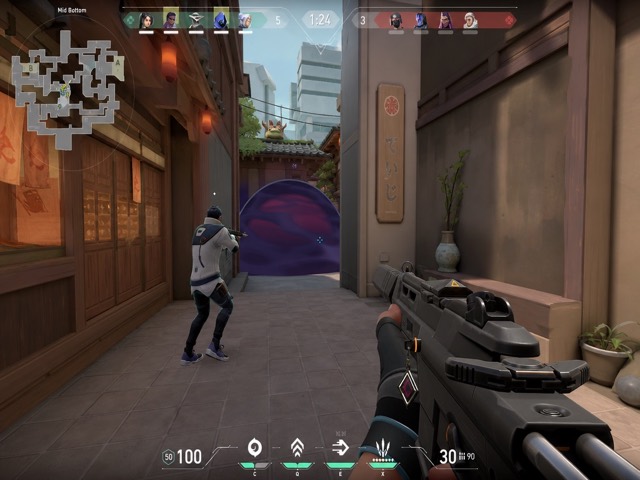 SCALE PREVIEW / RELATIVE TO SCREEN WIDTH
Compact
A focused size band. Check that the center stays visible on bright and busy backgrounds.
WHY PIXELS CHANGE
The same number can look different on every display.
Pixel density changes physical size
A 24-pixel span is physically smaller when those pixels are packed more tightly. The calculator estimates pixels per inch from the diagonal and native resolution.
Screen percentage helps comparison
Width coverage shows how much of the display the crosshair occupies. It is useful when moving a setup between phones with different resolutions.
Distance changes apparent size
Visual angle combines physical size with viewing distance. Moving the same phone closer makes the crosshair appear larger without changing a single game setting.
Numbers are a starting point
Readability also depends on color, outline, scene contrast, motion, and the game itself. Test the result rather than treating one number as universal.
CONTINUE ON IPHONE
Size is one variable.
Your playstyle is the rest.
The calculator measures scale. Crosshair X Pro adds recommendations, ranked presets, detailed controls, live scenes, favorites, and a focused save-and-copy workflow. Available now on the App Store.
Get it on the App Store
Open on iPhoneScan with your camera
QUICK ANSWERS
Crosshair size
questions.
How is physical size calculated?
The tool estimates display width from the diagonal and resolution aspect ratio. It then converts crosshair pixels through the estimated pixel density into millimeters.
What does visual angle mean?
Visual angle estimates how large the crosshair appears to your eye. It is calculated from the physical crosshair size and the distance between your eyes and the phone.
Is this exact for every device?
It is an estimate. Rounded manufacturer dimensions, display scaling, browser zoom, viewing-distance measurement, and game rendering can change the real result slightly.
Does this replace the iPhone app?
No. It only compares physical and apparent scale. The app provides recommendations, presets, customization, previews, favorites, and copy-ready settings.
